Download original PDF · Plain-text extract
Every original page is reproduced below, including all illustrations, tables and labels. Select a page image to open it at full resolution. Expand Text for copying and search below a page to read its extracted text; extraction may change spacing or special characters.
Page 1
Text for copying and search
FF-OI-01:  “Cheats  for  QA  Testing”
Rev03

Feldfeste  Operation  Instruction
 FF-OI-01:  “How  to  use  Cheats  for  Quality  Assurance  Testing”    Document  History   Revision  Content  Editor  Time  01  Initial  Document  Creation  Arina  01.02.2025  02  Formal  update,  creating  template  Hannes  22.05.2026  03  Added  how-to  info   Arina  23.05.2026
Confidential  Operation  Instruction
Page 2
Text for copying and search
FF-OI-01:  “Cheats  for  QA  Testing”
Rev03

Table  of  Contents  1.  How  to  use  cheats   2.  Instructions  for  adding  cheats
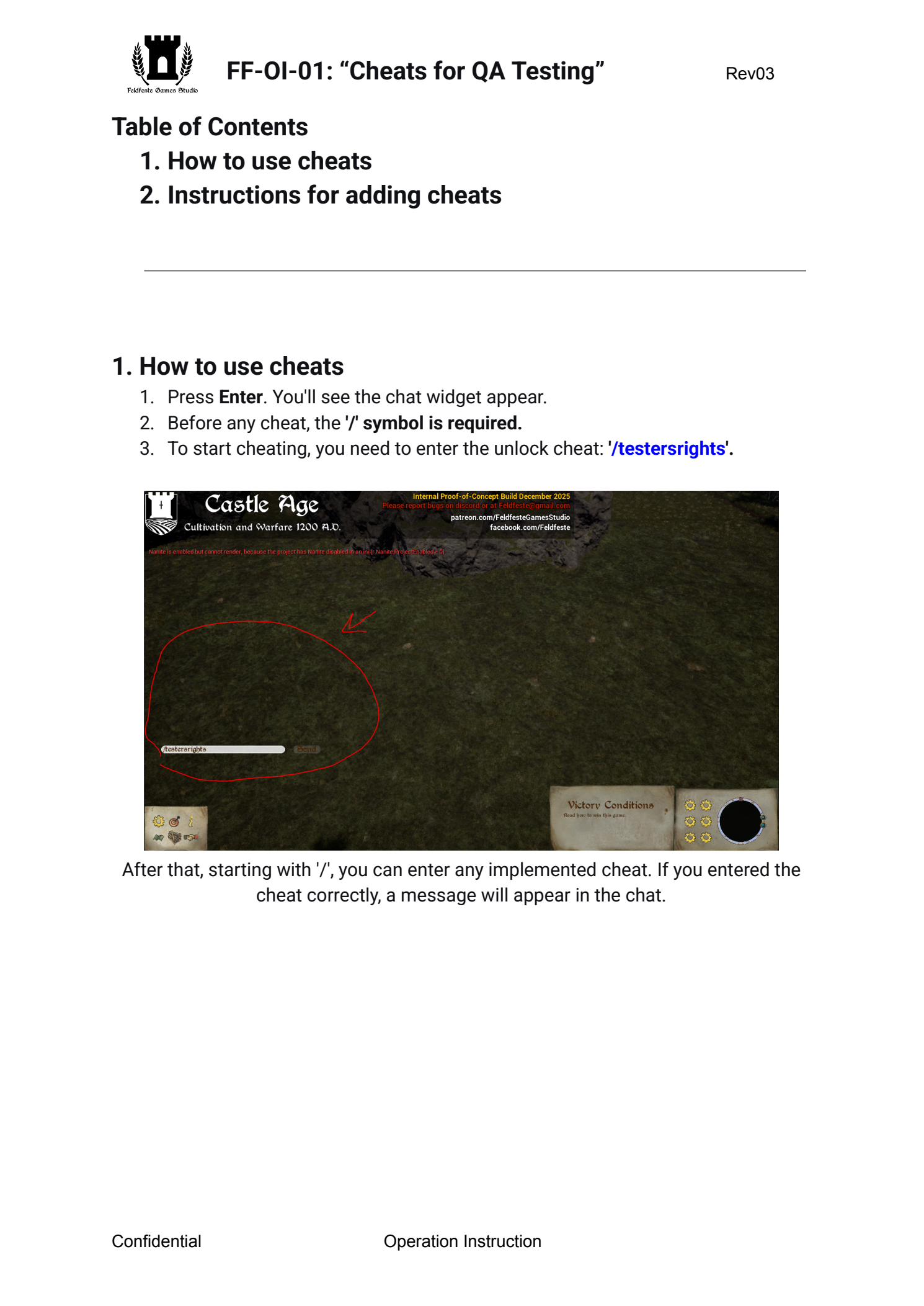
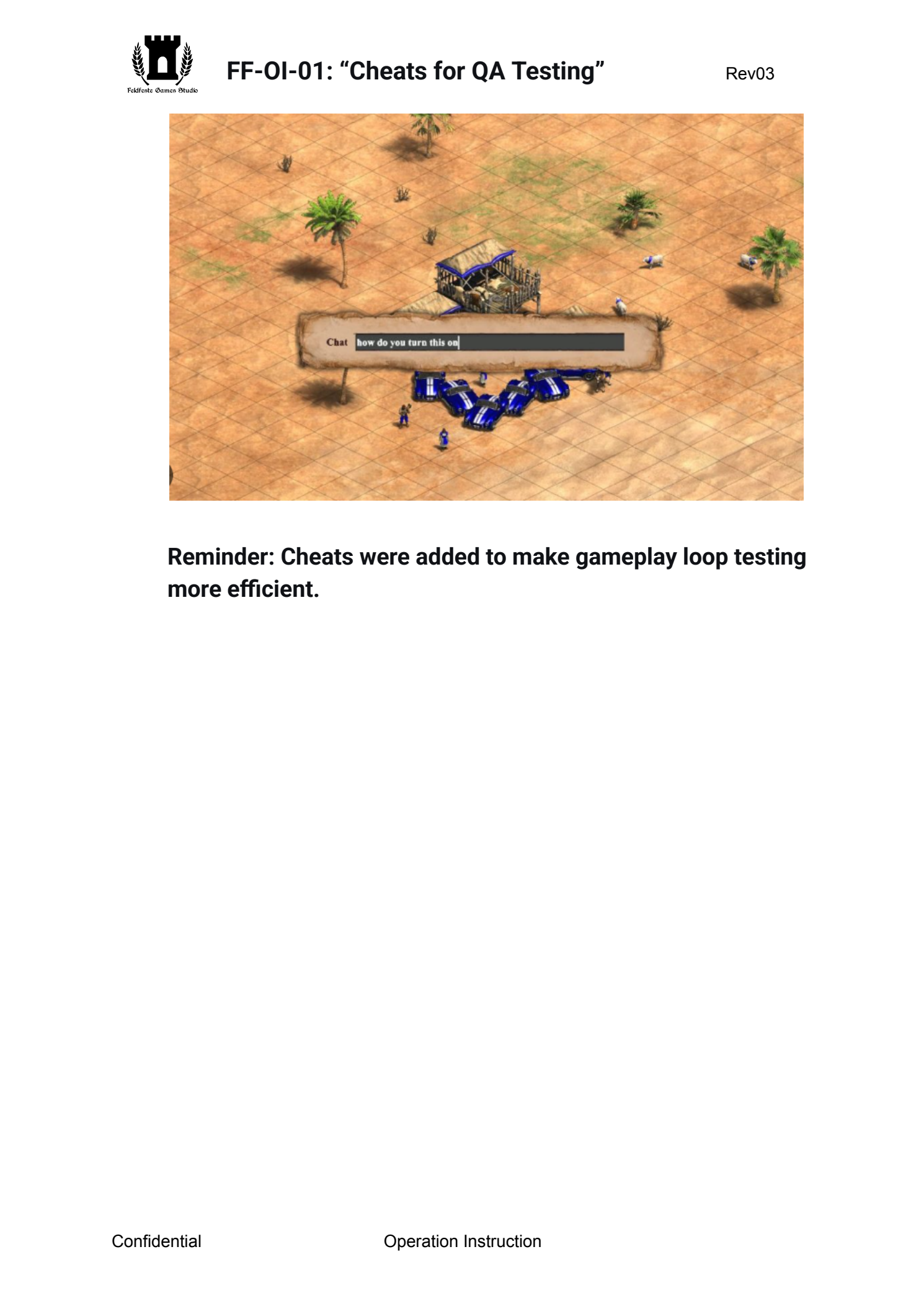
 1.  How  to  use  cheats   1.  Press  Enter .  You'll  see  the  chat  widget  appear.  2.  Before  any  cheat,  the  '/'  symbol  is  required.   3.  To  start  cheating,  you  need  to  enter  the  unlock  cheat:  '/testersrights'.

 After  that,  starting  with  '/',  you  can  enter  any  implemented  cheat.  If  you  entered  the
cheat

correctly,

a

message

will

appear

in

the

chat.


Confidential  Operation  Instruction
Page 3
Text for copying and search
FF-OI-01:  “Cheats  for  QA  Testing”
Rev03

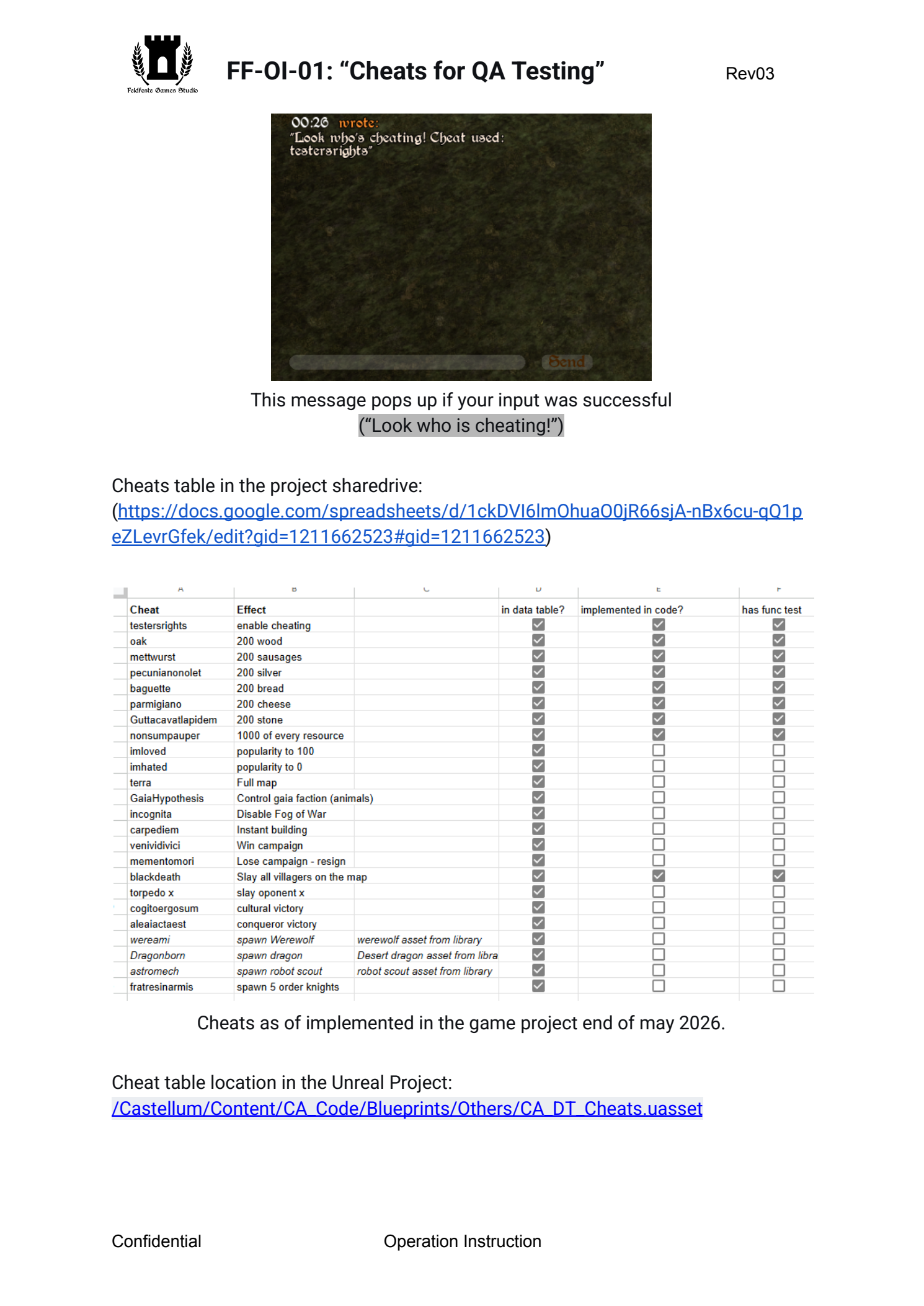
 This  message  pops  up  if  your  input  was  successful
(“Look

who

is

cheating!”)

 Cheats  table  in  the  project  sharedrive:  (https://docs.google.com/spreadsheets/d/1ckDVI6lmOhuaO0jR66sjA-nBx6cu-qQ1peZLevrGfek/edit?gid=1211662523#gid=1211662523
)


 Cheats  as  of  implemented  in  the  game  project  end  of  may  2026.
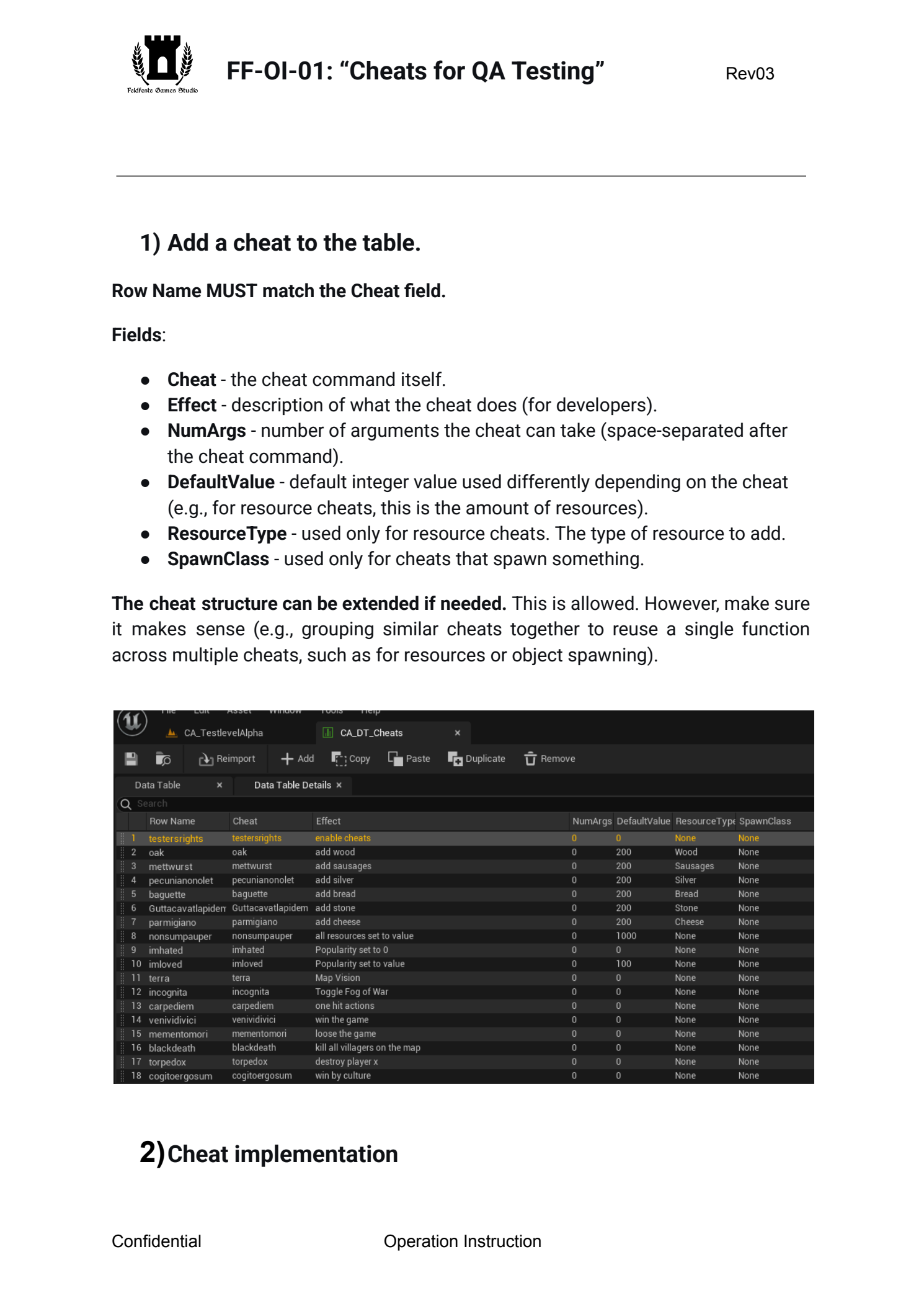
 Cheat  table  location  in  the  Unreal  Project:  /Castellum/Content/CA_Code/Blueprints/Others/CA_DT_Cheats.uasset

Confidential  Operation  Instruction
Page 4
Text for copying and search
FF-OI-01:  “Cheats  for  QA  Testing”
Rev03

   1)  Add  a  cheat  to  the  table.
Row  Name  MUST  match  the  Cheat  field.
Fields :
●  Cheat  -  the  cheat  command  itself.  ●  Effect  -  description  of  what  the  cheat  does  (for  developers).  ●  NumArgs  -  number  of  arguments  the  cheat  can  take  (space-separated  after
the

cheat

command).
 ●  DefaultValue  -  default  integer  value  used  differently  depending  on  the  cheat
(e.g.,

for

resource

cheats,

this

is

the

amount

of

resources).
 ●  ResourceType  -  used  only  for  resource  cheats.  The  type  of  resource  to  add.  ●  SpawnClass  -  used  only  for  cheats  that  spawn  something.
The  cheat  structure  can  be  extended  if  needed.  This  is  allowed.  However,  make  sure
it

makes

sense

(e.g.,

grouping

similar

cheats

together

to

reuse

a

single

function

across

multiple

cheats,

such

as

for

resources

or

object

spawning).


  2)  Cheat  implementation

Confidential  Operation  Instruction
Page 5
Text for copying and search
FF-OI-01:  “Cheats  for  QA  Testing”
Rev03

 -  Go  to  the  Blueprint  CA_ServerCheatsComponent
/Castellum/Content/CA_Code/Blueprints/Player/ControllerComponents/CA_Se
rverCheatsComponent.uasset
 A  bit  about  the  component  -  this  component  is  attached  to  a  specific
BP_RTSController,

so

if

needed,

you

can

use

its

owner

(player).

-  Create  a  protected  cheat  function  with  implementation:
ExecuteCheat_*cheatname
Replace
*cheatname
 with  the  actual  cheat  name.  If  this  is  a  group  of  cheats,  provide  a
meaningful

name

instead


When  implementing  cheats,  do  not  just  reach  into  private  fields  of  other  classes
without

thinking.

Consider

which

class

is

responsible

for

the

functionality

you

need.

Use

public

interfaces(functions)

or

other

appropriate

access

points

instead


please…

:”<<<


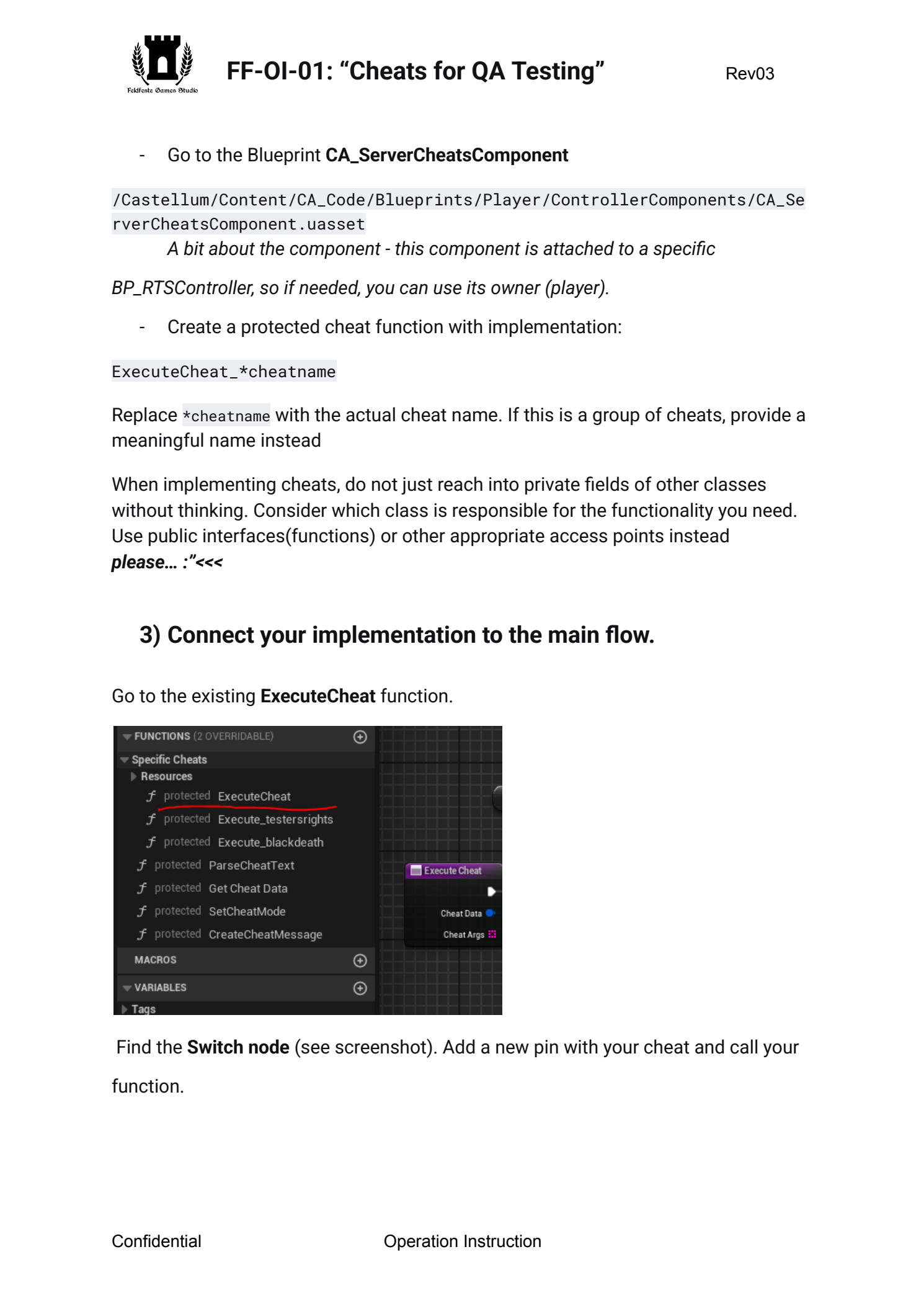
3)  Connect  your  implementation  to  the  main  flow.   Go  to  the  existing  ExecuteCheat  function.

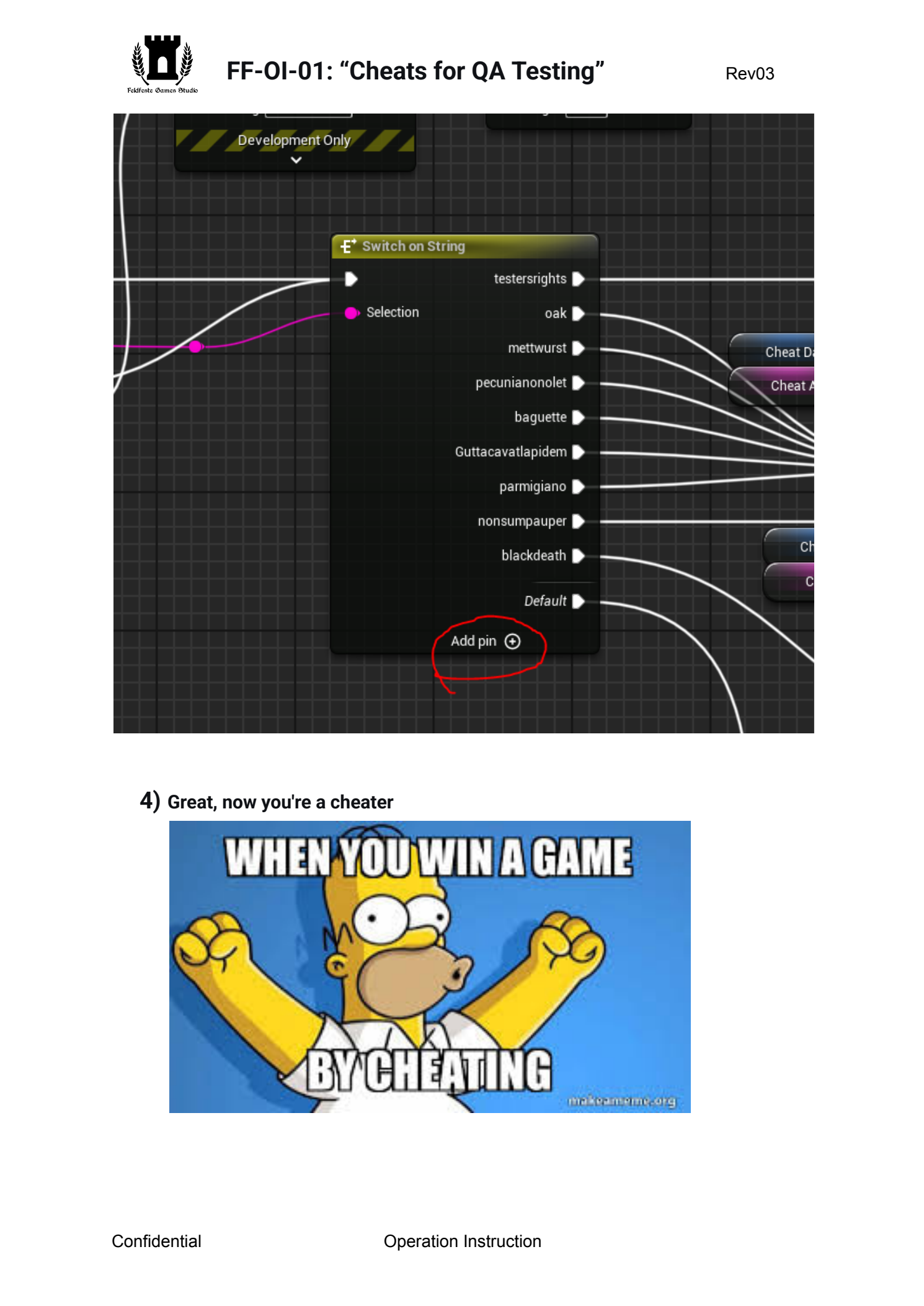
 Find  the  Switch  node  (see  screenshot).  Add  a  new  pin  with  your  cheat  and  call  your
function.

Confidential  Operation  Instruction
Page 6
Text for copying and search
FF-OI-01:  “Cheats  for  QA  Testing”
Rev03


 4)
Great,

now

you're

a

cheater


Confidential  Operation  Instruction
Page 7
Text for copying and search
FF-OI-01:  “Cheats  for  QA  Testing”
Rev03

  Reminder:  Cheats  were  added  to  make  gameplay  loop  testing
more

efficient.

Confidential  Operation  Instruction