Download original PDF · Plain-text extract
Every original page is reproduced below, including all illustrations, tables and labels. Select a page image to open it at full resolution. Expand Text for copying and search below a page to read its extracted text; extraction may change spacing or special characters.
Page 1
Text for copying and search
FF-OI-09:  “Metahuman  Character  Export”
Rev01

Feldfeste  Operation  Instruction

FF-OI-10:  “Metahuman  Character  Export”
Document  History   Revision  Content  Editor  Time  01  Initial  Document  Creation  Jonathan  03.07.2026
Confidential  Operation  Instruction
Page 2
Text for copying and search
FF-OI-09:  “Metahuman  Character  Export”
Rev01

Table  of  Contents   1.  Unreal  Export
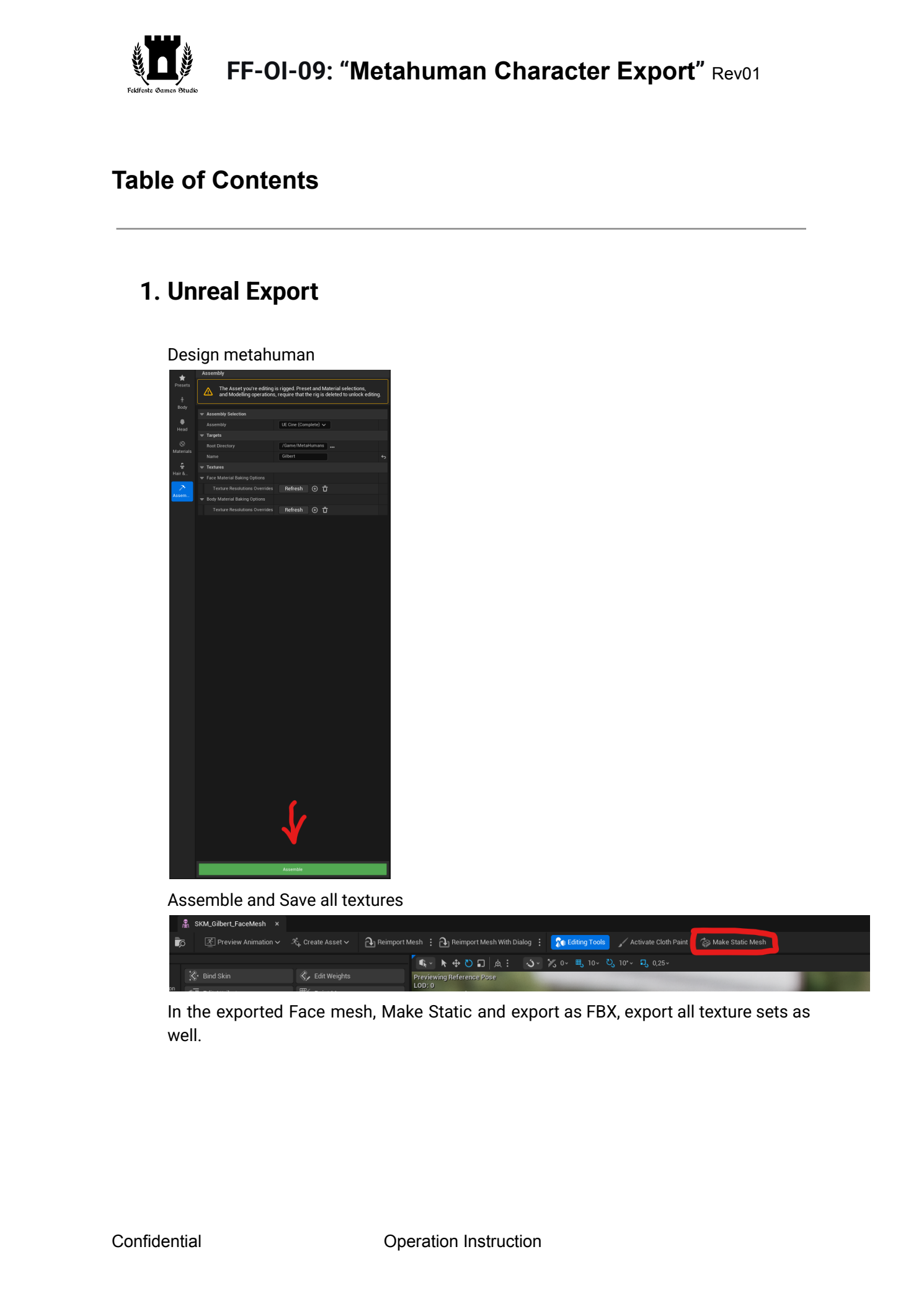
Design

metahuman

 Assemble  and  Save  all  textures

 In  the  exported  Face  mesh,  Make  Static  and  export  as  FBX,  export  all  texture  sets  as
well.


Confidential  Operation  Instruction
Page 3
Text for copying and search
FF-OI-09:  “Metahuman  Character  Export”
Rev01
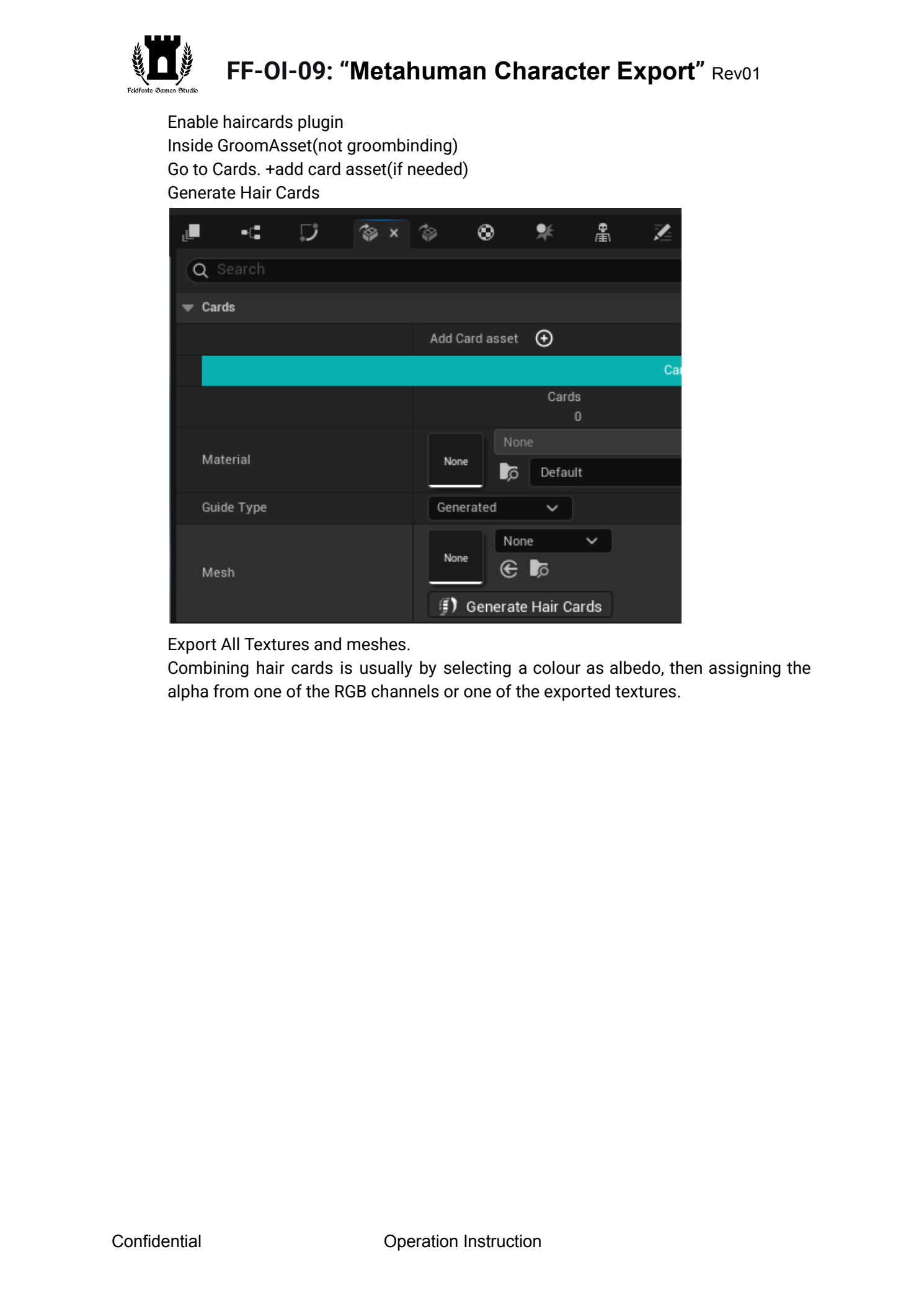
  Enable  haircards  plugin
Inside

GroomAsset(not

groombinding)

Go

to

Cards.

+add

card

asset(if

needed)

Generate

Hair

Cards

 Export  All  Textures  and  meshes.
Combining

hair

cards

is

usually

by

selecting

a

colour

as

albedo,

then

assigning

the

alpha

from

one

of

the

RGB

channels

or

one

of

the

exported

textures.


Confidential  Operation  Instruction
Page 4
Text for copying and search
FF-OI-09:  “Metahuman  Character  Export”
Rev01

2.  Material  Setups  in  Blender
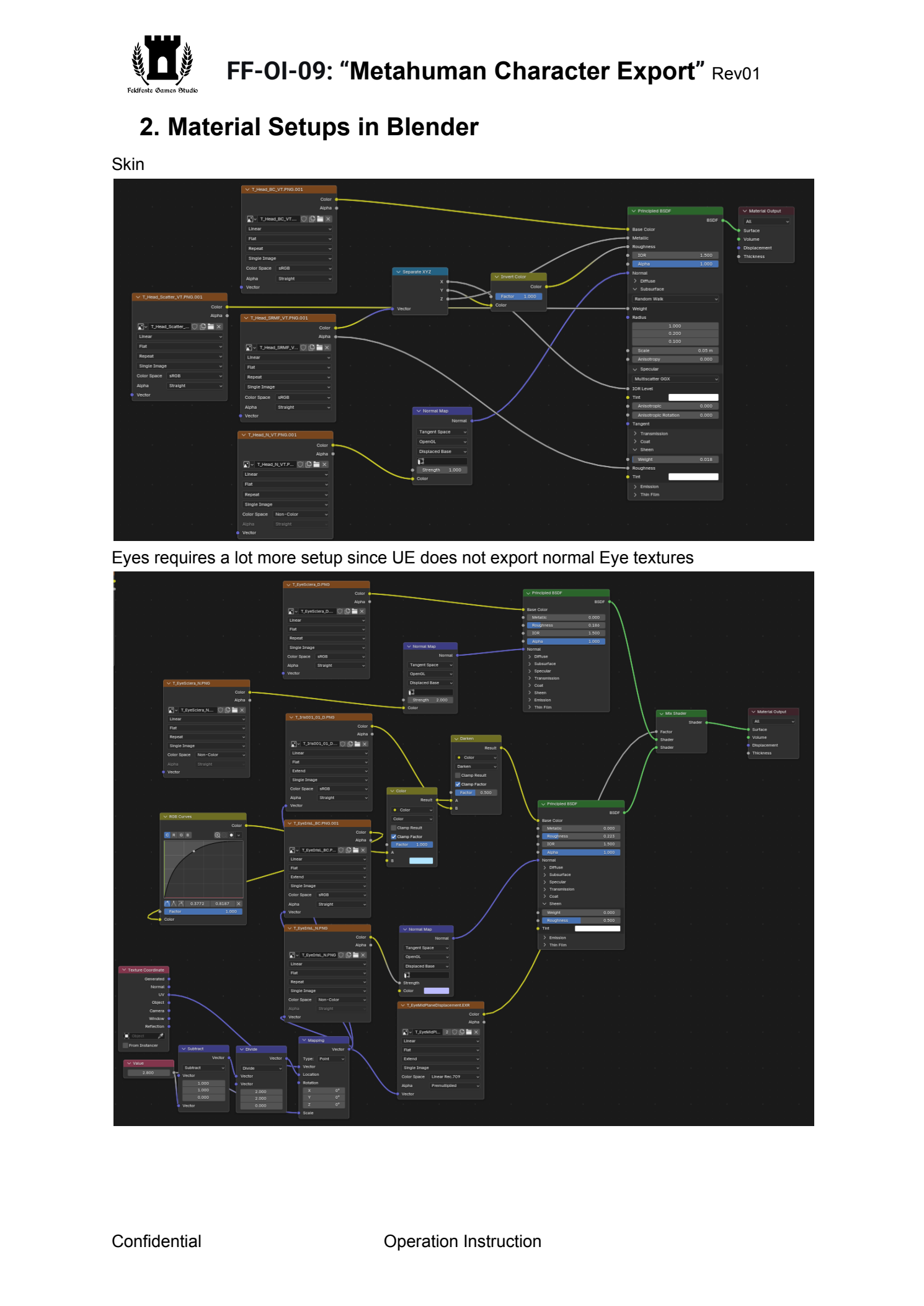
Skin
 Eyes  requires  a  lot  more  setup  since  UE  does  not  export  normal  Eye  textures


Confidential  Operation  Instruction
Page 5
Text for copying and search
FF-OI-09:  “Metahuman  Character  Export”
Rev01

3.  Bake  down  And  finalise  all  textures
I  recommend  marmoset  Toolbag  for  quick  baking,  its  maps  should  be  used  during  the
SubstancePainter

texturing

process

anyway.

The

Metahuman

eyes

will

have

to

be

baked

in

Blender.
 The  metahuman  skin  will  require  some  creative  material  settings  if  done  in  marmoset
4.  Combining  the  assets
Keep  all  the  assets  in  a  Seperate  Collection,  called  UV1
Then

Duplicate

them,

Re-UV

everything

to

fit

onto

a

Single

UVmap

(leave

open

spaces

if

Character

will

eventually

need

extra

assets,

and

think

of

which

bits

will

eventually

be

cut

out
(see

next

step)
)

Transfer

the

Texture

data

from

the

first

UV

to

the

new

one,

(Baking)

The

combining

of

multiple

textures

can

easily

be

done

in

Substance

Designer,

through

masks

and

material

blend

nodes.

5.  Rigging  and  Cutting
Rig  and  merge  the  mesh,  test  ingame
Make

sure

all

the

bones

and

bone

names

match,

export

whilst

having

both

the

skeleton

and

mesh

selected.

->

there

should

not

be

any

skeleton

related

errors

when

imported,

even

if

the

animations

work.

Cut

out

unnecessary

bits

that

will

not

be

seen

and

cause

clipping

issues,

such

as

ears,

upper

legs,

arms,

upper

torso,

head.


Confidential  Operation  Instruction