Download original PDF · Plain-text extract
Every original page is reproduced below, including all illustrations, tables and labels. Select a page image to open it at full resolution. Expand Text for copying and search below a page to read its extracted text; extraction may change spacing or special characters.
Page 1
Text for copying and search
FF-OI-03:  “Building  setup”
Rev
(
02)

Feldfeste  Operation  Instruction
 FF-OI-03:  “Building  setup”    Document  History   Revision  Content  Editor  Time  01  Initial  Document  Creation  Arina  03.05.2026  02  Formal  update  Arina  25.05.2026
Confidential  Operation  Instruction
Page 2
Text for copying and search
FF-OI-03:  “Building  setup”
Rev
(
02)

Table  of  Contents  1.  Building  setup
  Purpose  of  this  document  Targets:
●

Configure

building

blueprint

defaults

(tags,

meshes,

costs,

components)

Confidential  Operation  Instruction
Page 3
Text for copying and search
FF-OI-03:  “Building  setup”
Rev
(
02)

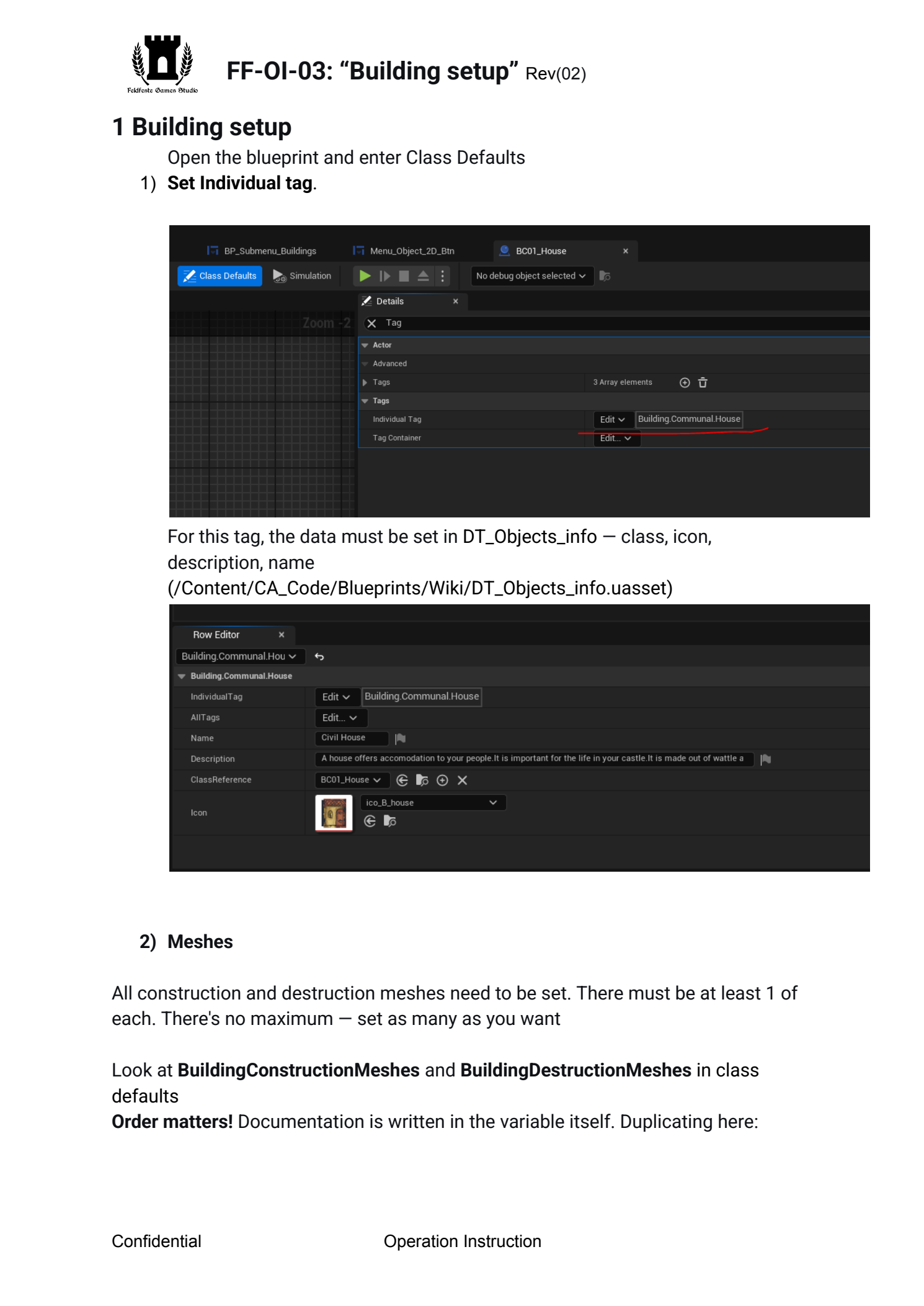
1  Building  setup Open  the  blueprint  and  enter  Class  Defaults   1)  Set  Individual  tag .
 For  this  tag,  the  data  must  be  set  in  DT_Objects_info —  class,  icon,
description,

name  (/Content/CA_Code/Blueprints/Wiki/DT_Objects_info.uasset)
   2)  Meshes  All  construction  and  destruction  meshes  need  to  be  set.  There  must  be  at  least  1  of
each.

There's

no

maximum

—

set

as

many

as

you

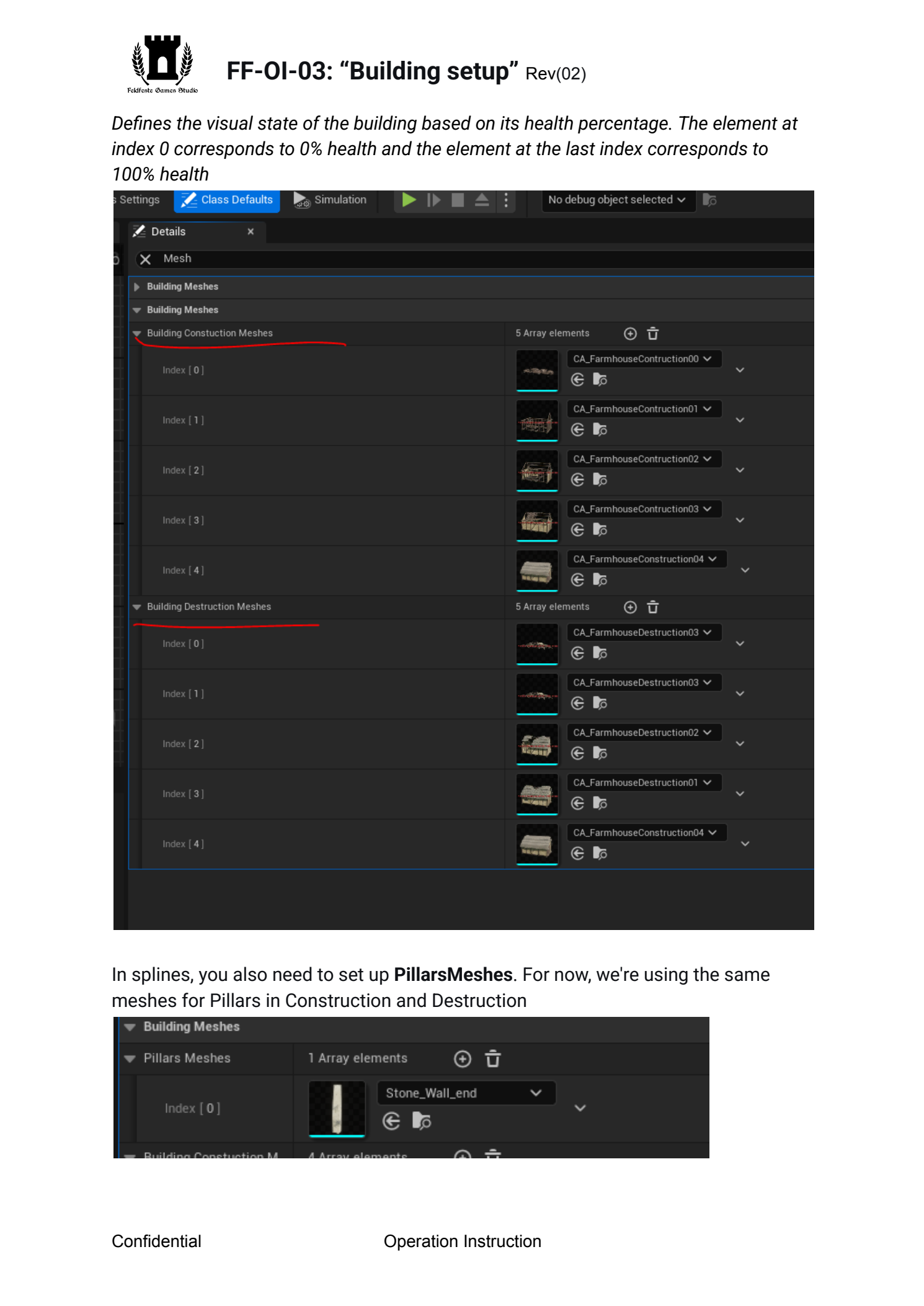
want   Look  at  BuildingConstructionMeshes  and  BuildingDestructionMeshes in  class
defaults
 Order  matters!  Documentation  is  written  in  the  variable  itself.  Duplicating  here:
Confidential  Operation  Instruction
Page 4
Text for copying and search
FF-OI-03:  “Building  setup”
Rev
(
02)
  Defines  the  visual  state  of  the  building  based  on  its  health  percentage.  The  element  at
index

0

corresponds

to

0%

health

and

the

element

at

the

last

index

corresponds

to

100%

health

  In  splines,  you  also  need  to  set  up  PillarsMeshes .  For  now,  we're  using  the  same
meshes

for

Pillars

in

Construction

and

Destruction

Confidential  Operation  Instruction
Page 5
Text for copying and search
FF-OI-03:  “Building  setup”
Rev
(
02)
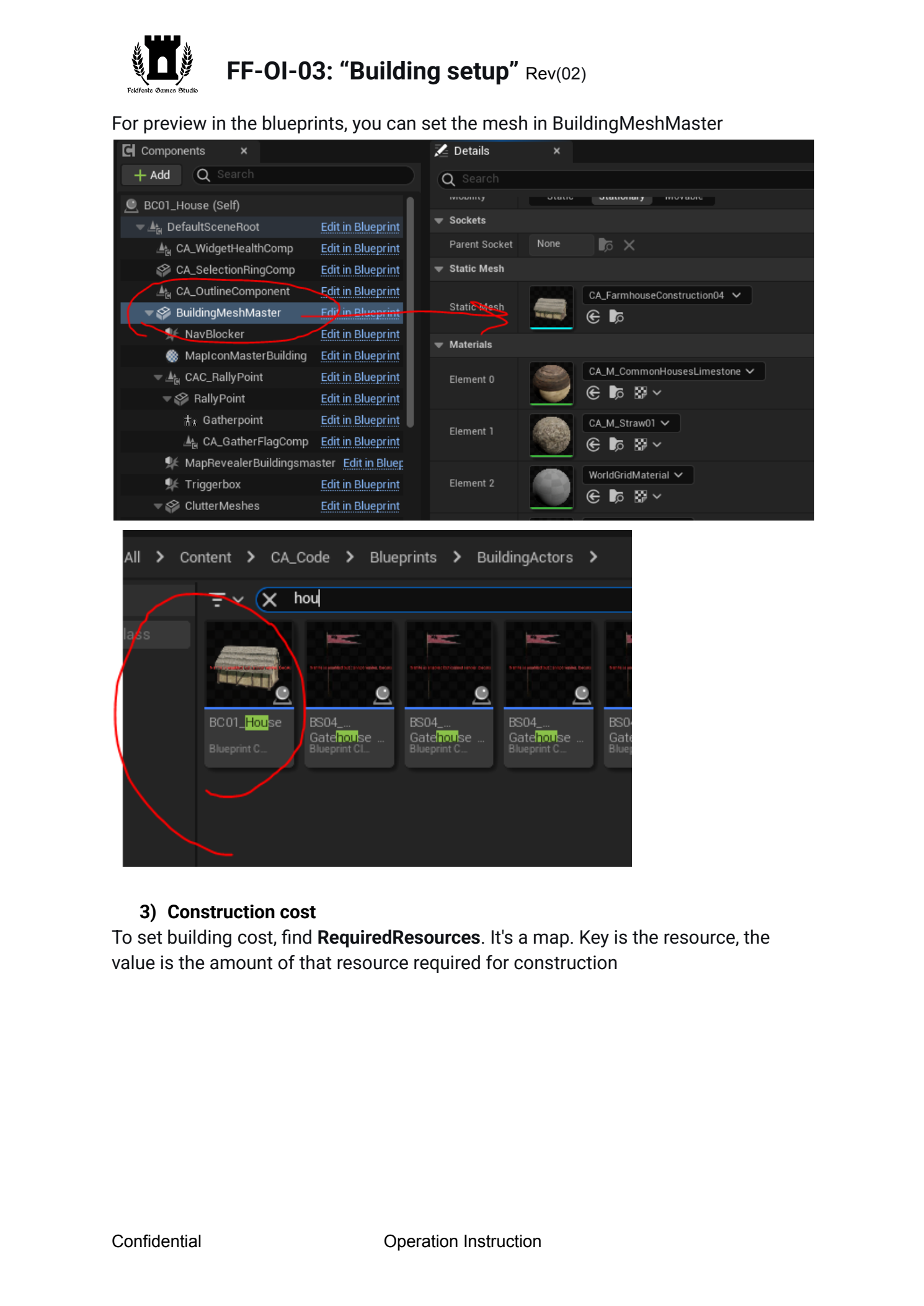
  For  preview  in  the  blueprints,  you  can  set  the  mesh  in  BuildingMeshMaster

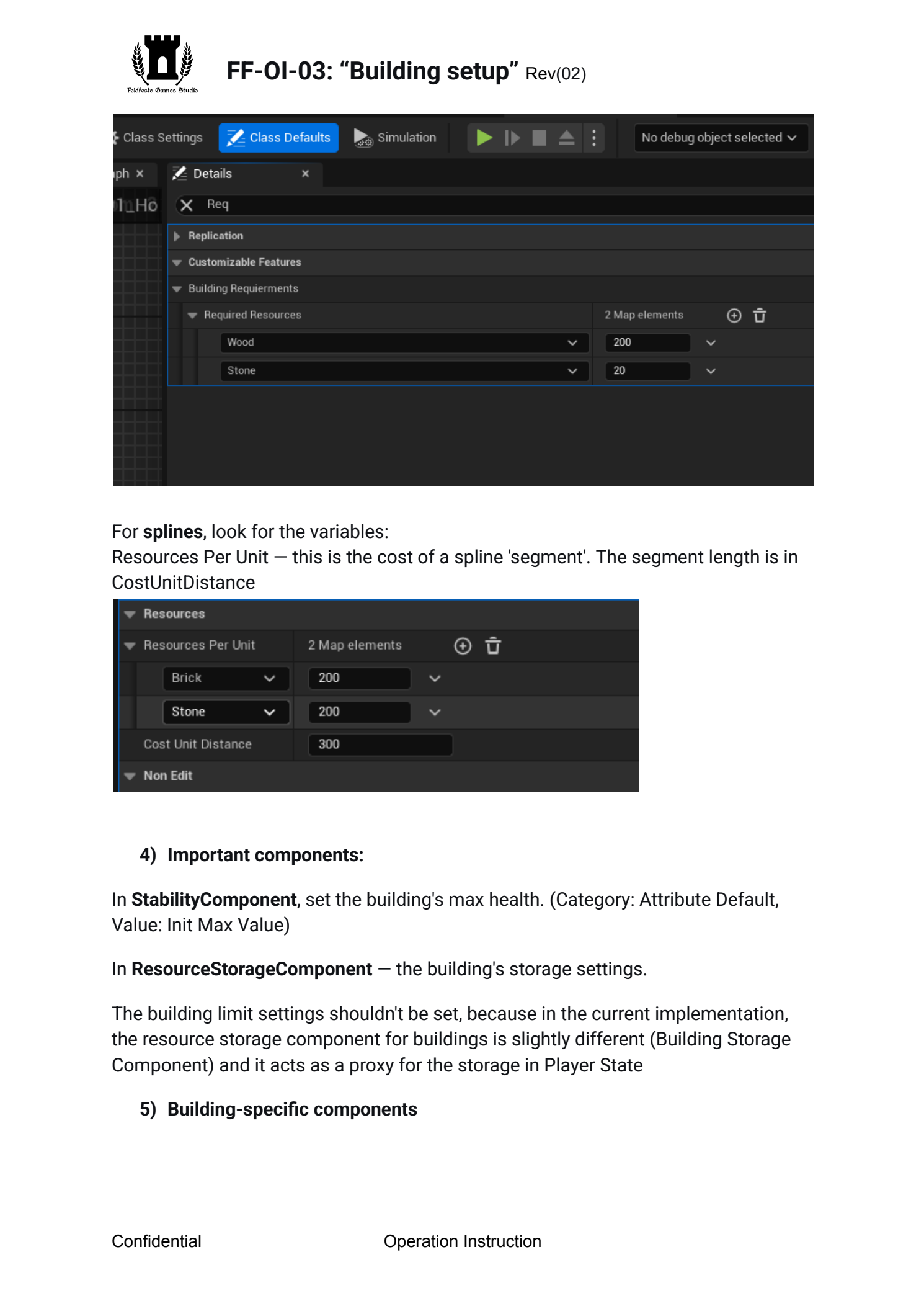
  3)  Construction  cost  To  set  building  cost,  find  RequiredResources .  It's  a  map.  Key  is  the  resource,  the
value

is

the

amount

of

that

resource

required

for

construction

Confidential  Operation  Instruction
Page 6
Text for copying and search
FF-OI-03:  “Building  setup”
Rev
(
02)

  For  splines ,  look  for  the  variables:  Resources  Per  Unit  —  this  is  the  cost  of  a  spline  'segment'.  The  segment  length  is  in
CostUnitDistance

4)  Important  components:
In  StabilityComponent ,  set  the  building's  max  health.  (Category:  Attribute  Default,
Value:

Init

Max

Value)

In  ResourceStorageComponent  —  the  building's  storage  settings.
The  building  limit  settings  shouldn't  be  set,  because  in  the  current  implementation,
the

resource

storage

component

for

buildings

is

slightly

different

(Building

Storage

Component)

and

it

acts

as

a

proxy

for

the

storage

in

Player

State


5)  Building-specific  components

Confidential  Operation  Instruction
Page 7
Text for copying and search
FF-OI-03:  “Building  setup”
Rev
(
02)
  There  are  components  only  for  some  buildings.  They  don't  need  to  be  added  to  the
base

blueprint,

only

to

buildings

that

actually

need

them:

●  ResourceProduction  —  component  for  buildings  that  produce  something.  It
describes

the

conditions

and

possible

production.

(A

production

'recipe'

must

also

be

in

the

production

table.) ●  WorkersComponent  —  component  that  handles  the  ability  for  someone  to
work

in

the

building


Confidential  Operation  Instruction